
Flipping is Hard Crowd Control — Streamer Setup Guide
Flipping is Hard has Crowd Control built in: connect through Settings, tune prices in the desktop app, and see the 20 events one integration lists.
Does Flipping is Hard support Crowd Control?
Yes. The studio’s Creator Hub says Crowd Control is integrated from day one, so your chat can spend points to mess with the run: surprise obstacles, physics changes and other interruptions at the worst possible moment. Crowd Control’s own setup guide says the same from its side: the game has Crowd Control built in, so you launch the game to connect.
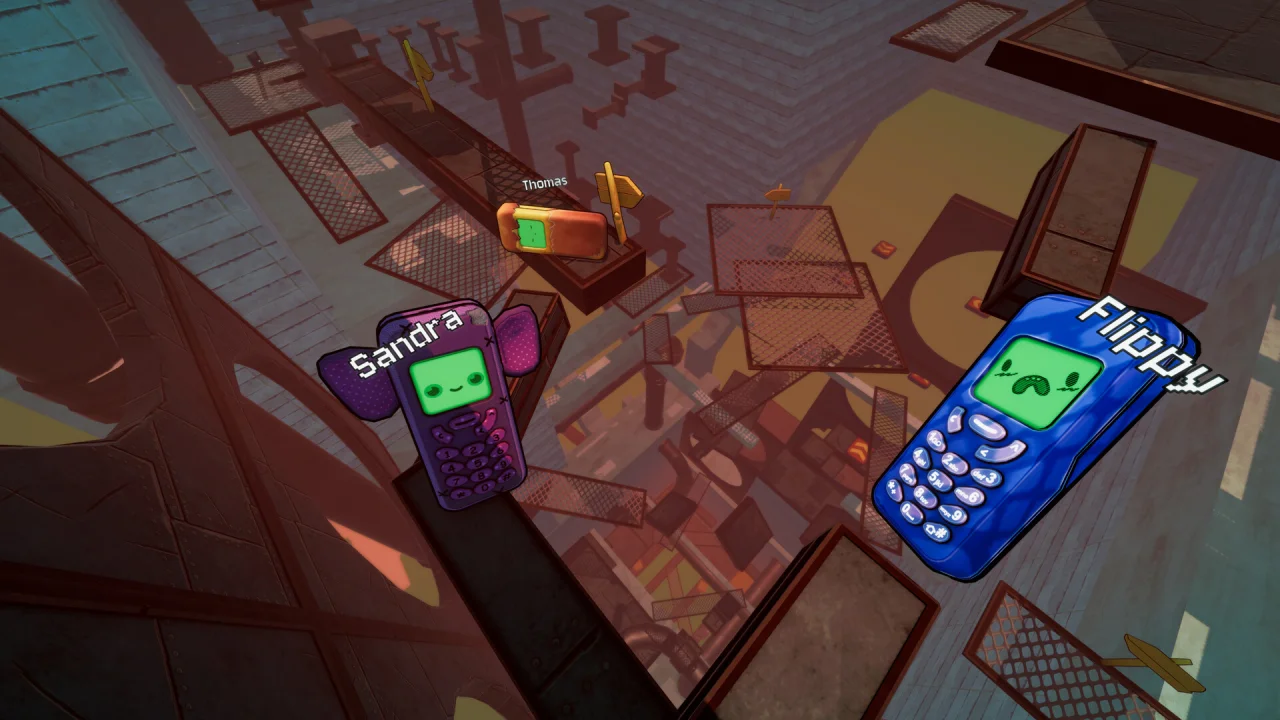
Two players climbing together, from the game’s Steam store screenshots.
How do you set up Crowd Control for Flipping is Hard?
Crowd Control’s setup guide for the game is short:
- Launch the game. It has Crowd Control built in, so launching it is how you connect.
- Head to Settings to connect to Crowd Control.
- After you log in, your session starts.
- Continue to the Crowd Control desktop app to adjust price settings and set up additional triggers, integrations, overlays and user settings.
If you are new to Crowd Control, the guide points you to its App Setup Guide, its FAQs and its Discord first. The guide does not name any menus beyond Settings, so follow the prompts you see in the game.
What effects can chat trigger?
Crowd Control’s guide page does not publish a list. The closest public list comes from HypeMyStream, a separate service built for TikTok Live game streamers. It lists 20 “supplied” integration events for the game in seven groups. HypeMyStream is a different product, so this table shows what that integration offers, not a confirmed list of Crowd Control’s effects. Check the Crowd Control desktop app for the effects and prices that apply to you.
| Group | Event | What HypeMyStream says it does |
|---|---|---|
| Camera | Super High FOV | Dramatically widens the view temporarily |
| Camera | Super Low FOV | Dramatically narrows the view temporarily |
| Camera | Upside Down | Rotates the game view by 180 degrees |
| Camera | Screen Rotate | Continuously rotates the view |
| Camera | Screen Shake | Temporarily shakes the camera |
| Chaos | Tiny Phone | Temporarily shrinks the player |
| Chaos | Giant Phone | Temporarily enlarges the player |
| Chaos | Slow Motion | Temporarily slows the synchronized game session |
| Chaos | Shatter Phone | Explodes the phone casing before rebuilding it |
| Checkpoint | Next Checkpoint | Moves to the next checkpoint |
| Checkpoint | Previous Checkpoint | Moves back one checkpoint |
| Checkpoint | Restart From Checkpoint | Returns to the active checkpoint or run start |
| Checkpoint | Restart Game | Restarts the current run |
| Controls | Reverse Rotation | Temporarily reverses rotation controls |
| Controls | Reverse Jump | Temporarily reverses jump behaviour |
| Controls | Freeze Controls | Temporarily disables phone controls |
| Cosmetic | Change Skin | Changes the phone to its next unlocked skin |
| Physics | Low Gravity | Temporarily gives the phone reduced gravity |
| Physics | Launch | Blasts the phone straight upward |
| Recovery | Unstuck | Moves the phone to a safe nearby position |
Two details help you read this list. The studio says Flipping Is Chill lets you collect checkpoints and respawn at them, while Flipping Is Hard has no checkpoints. And “Change Skin” depends on what the player has unlocked, which the phone skins guide explains. The default controls that the control effects would change are in the controls and jump guide.
What are the studio’s streaming rules?
The Creator Hub says: “No permission email needed. This page is your written permission to create and monetize content with Flipping Is Hard.” It lists what is welcome:
- Live streams on Twitch, YouTube, Kick, TikTok and anywhere else, from launch day onward.
- Monetized videos, Shorts, Reels and clip compilations.
- The trailer, screenshots, logo and key art in thumbnails, overlays and edits.
- Reviews, rage compilations, speedruns and co-op chaos.
It also lists what the studio would appreciate: a link to the Steam page in your description, ending and final-boss spoilers kept out of titles and thumbnails, and a tag or ping to @ElegantHorseStd so they can share your video.
How do you run a co-op stream?
The Creator Hub’s co-op setup notes for streams:
- Up to 16 players in one lobby, joined through Steam Friends.
- Private, friends-only or invite-only lobbies with Steam authentication, so uninvited viewers cannot jump in.
- Every player needs their own copy of the game. Ask the studio for extra keys for your group.
- Proximity voice chat is built in. If you already use Discord, you can mute in-game voice.
- Full controller support, including DualShock and DualSense.
The hub also suggests a “one more try” stream on Flipping Is Hard mode, where the falls are the content, and a co-op chaos stream that uses the Help Beam. Our multiplayer and Help Beam guide covers how lobbies and the Help Beam work.

Flippy in the Steam store screenshots.
Which spoilers should stay out of titles and thumbnails?
The studio’s spoiler guide splits the game in two:
- Safe to show anywhere: the first four areas (Storm Drain, Cardboard Fort, The Playground and Candyland), the movement, co-op, the Phone OS, customization and any NPC you meet early on.
- Keep out of titles and thumbnails: what happens in the Recycling Core and beyond, the final boss, the ending and anything the Narrator reveals late in the game. Showing them in the video itself is fine.
If you want to plan around that line, our Playground and Candyland guide covers areas the studio calls safe, and the Recycling Core guide is the first page that crosses it. The full area list is in the ten-area walkthrough, and viewers asking about achievements can be pointed to the achievements and speedrun guide.
Sources and credits
- Crowd Control, Flipping is Hard setup guide (checked 2026-10-18): built-in support, connecting through Settings and the desktop app.
- Elegant Horse Studios, Creator Hub (checked 2026-10-18): Crowd Control mention, streaming policy, co-op setup and spoiler guide.
- HypeMyStream, Flipping Is Hard events (checked 2026-10-18): the 20 integration events. This is a separate third-party service.
- Steam, Flipping is Hard store page: platform and co-op details.
FLIPIA OS // VERIFIED ANSWERS
Frequently Asked Questions
Does Flipping is Hard support Crowd Control?
Where do I connect Crowd Control in Flipping is Hard?
What effects can chat trigger?
Can I stream and monetize Flipping is Hard?
How many players can join a streamer's co-op lobby?
NEXT IN TRASHLANDS
Related Field Guides
Guides
Flipping is Hard Multiplayer — 16-Player Co-op & Help Beam
How to host up to 16 players in Flipping is Hard multiplayer co-op, use the Help Beam to rescue fallen friends, and choose between Chill and Hard checkpoints.
Guides
Flipping is Hard Achievements & Speedrun Guide — Fast Routes
Complete Flipping is Hard achievement roadmap and speedrun routing guide. Learn the fastest skips in Cardboard Fort, The Grid, and Hard Mode completion tips.
Guides
Flipping is Hard Controls & How to Jump Guide — Physics Tips
Master Flipping is Hard controls, jump angles, hinge momentum, and flat-face landing recovery. Stop tumbling down the Trashlands with these physics tips.
Did this Trashlands guide help your climb?
Signal received! Thanks for the feedback.